


If your church doesn't have a church AI policy yet, your team is still using AI, just without any shared decisions about what's allowed, what information stays protected, and who's responsible for the results. That gap is where most of the risk lives, and it's also where most of the wasted potential lives.
I've spent a lot of time this year in rooms with pastors, executive directors, and ministry teams talking about AI, and the conversation almost always starts the same way. Someone on the team is quietly using it every day while someone else is nervous about touching it at all. The senior leader suspects the church should have a position but isn't sure where to begin, and nobody wants to be the person who writes a twelve-page policy that no one reads.
This article walks through the five decisions that actually make up a useful AI policy for churches, why a leadership team should make them together, and a free tool that lets you do it in a single meeting.
Your team is already using AI, with or without a policy
The numbers here are hard to ignore. Research from Barna Group and Gloo found that 87% of U.S. Protestant pastors use AI in ministry, most often for brainstorming, graphic design, research, small group questions, and administrative work. Sermon writing and editing doubled over that period, rising from 12% in early 2024 to 24% by the end of 2025.
Policy hasn't kept pace with any of that. The 2026 State of AI in the Church survey found that only 9% of churches have a formal AI policy in place, and 46% haven't said anything to their congregation about how they use AI. Nearly half of the leaders surveyed named privacy and data security as an ethical concern.
The wider charitable sector shows almost exactly the same gap. The State of Artificial Intelligence Adoption in Canadian Nonprofits, released by Imagine Canada in January 2026 with the Canadian Centre for Nonprofit Digital Resilience and Microsoft Elevate, surveyed 963 charities and nonprofits across the country and found that 80% use AI in some form while only 10% have formal AI policies. In the U.S., the 2026 Nonprofit AI Adoption Report from Virtuous and Fundraising.AI surveyed 346 nonprofits and found that 92% use AI and 47% have no AI governance policy at all.
So picture what's happening in an ordinary church office on a Tuesday. The communications director drafts the newsletter with a free AI account, a care pastor pastes notes from three hospital visits into a chatbot to help write follow-up emails, and the administrator asks an AI tool to clean up a spreadsheet of giving records. Nobody is doing anything malicious, and everyone is trying to serve well with the time they have, but nobody has decided whether any of it is okay.
The real issue is rarely the tool itself, because the risk comes from a leadership team that hasn't decided anything together.
The Virtuous report puts a number on what that looks like, finding that 81% of nonprofits use AI individually without shared workflows, and only 7% report major improvements in organizational capability. When every person works out their own approach, you end up with inconsistent quality, quiet privacy exposure, and staff who either overuse AI or avoid it entirely because they aren't sure what's permitted. If your team already struggles with unclear direction, broken trust, or confused ownership, AI will surface those patterns faster than almost anything else.
A church AI policy starts with five leadership decisions
Most church leaders who go looking for help end up with a template, and while templates are useful, they skip the step that matters most. A policy is simply the written record of decisions your leaders have already made, so if those decisions haven't been made, the document won't hold when a real situation tests it.
That's why my friend Aidan Britnell and I built Novetera. Aidan founded Kaleo AI, which provides live sermon translation for churches, and he brings the technical and cybersecurity depth to our work. I bring twenty years of church leadership and the work of helping teams make clear decisions and follow through on them. Together we offer practical AI training, strategy, and governance for churches, Christian nonprofits, and charities.
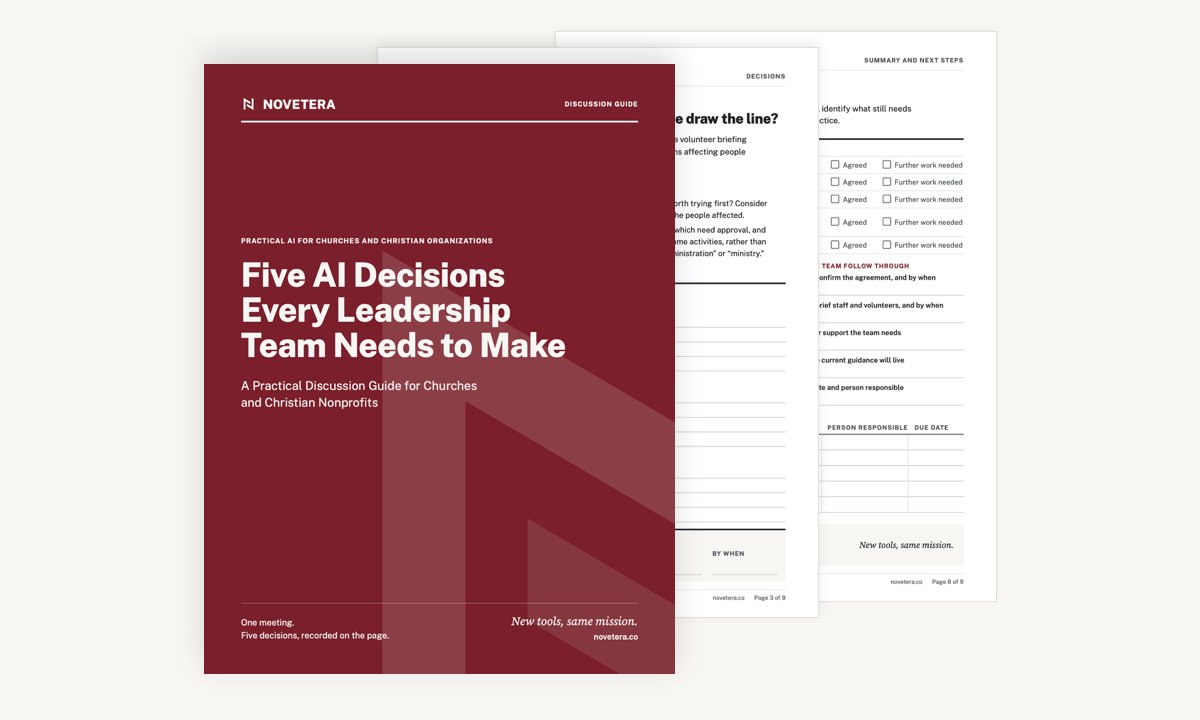
Out of that work we wrote a free discussion guide called Five AI Decisions Every Leadership Team Needs to Make. It's a nine-page printable PDF with realistic scenarios, discussion questions, and space to record what you agree, all designed for one focused leadership meeting of about an hour.
 There's a good biblical precedent for this kind of meeting. In Acts 15, the early church faced a question nobody had faced before, so the apostles and elders gathered, listened to what was actually happening, debated honestly, and reached a decision. Then they wrote a letter explaining it to the churches, saying, "It seemed good to the Holy Spirit and to us." They didn't leave each congregation to figure it out alone, and they discerned, decided, and communicated as one body.
AI is a new question for your church, but that same pattern still works, and it starts with the five decisions below.
Decide what AI is for and what information stays out
Decision one: what you'll use AI for and where you'll draw the line. This decision sorts tasks into three groups: what can proceed, what needs approval, and what's ruled out. Drafting an event description or brainstorming small group questions probably sits in the first group, while using AI to help write a sermon might sit in the second, depending on your convictions. Using AI to respond to someone in pastoral crisis may belong in the third.
Your answers will reflect your theology and your culture, and that's the point. A church that decides these boundaries together gives its staff the freedom to use AI confidently inside them. We've written before about why staff need clear guardrails to do good work, and AI is a very practical example of that principle.
Decision two: what information your team can give AI. This is the decision most churches skip, and it's the one with the most exposure. Some information is fine to use as it is, some needs protections such as removing names or using an approved account, and some information stays out of AI tools entirely.
Think about what moves through a church office in a normal week: donor records, prayer requests, pastoral counseling notes, children's ministry details, and staff performance conversations. People shared that information with the church in trust, so before anyone pastes it into a tool, your leaders need to have decided what's permitted.
What matters most is protecting the trust people placed in you when they shared their prayer requests, giving, and pastoral conversations.
Choose your tools and name who approves new uses
Decision three: what tools you'll use and support. When every staff member signs up for their own free account, you lose visibility into where church information is going, along with the ability to help people get better at using the tools. This decision names the tools, the accounts, and the purposes your church will provide and actively help people use.
The list doesn't need to be long. For many churches of 150 to 800 people, one or two approved tools with church-managed accounts will cover most needs and give a clear answer to the question every staff member is quietly asking: "Which one am I supposed to use?"
Decision four: who approves new opportunities and reviews the results. Someone on your team will find a promising new use for AI next month, and when they do, somebody needs to be the one who says yes. Once AI is producing work, someone also needs to check it before it goes out under the church's name.
This is a decision rights question, and churches often leave it vague. Some leaders find it helpful to use a simple RACI chart for church leaders to name who's responsible, who approves, who gets consulted, and who stays informed. Whatever tool you use, put a person's name beside the responsibility, because accountability that depends on "someone should probably check that" usually means nobody does.
The key is naming one person who approves new AI uses and one rhythm where the team reviews what AI is producing.
Decide what you'll tell the people you serve
Decision five: what you'll tell the people you serve. This covers what you explain publicly about your use of AI and when you disclose that AI was involved in something your church produced.
This is where the 46% figure matters. When nearly half of churches haven't said anything to their congregation, people fill that silence with their own assumptions. Some will assume you use AI for everything, and others will be surprised and hurt to learn it was involved in something they thought was personal.
You don't need to announce every time AI helped format a bulletin, but your congregation and donors deserve a clear, simple explanation of how you use AI, what you'll never use it for, and how you protect their information. Acts 15 ends with a letter for a reason, because clear communication is one of the ways a church protects its unity.
The fear that keeps leadership teams from deciding
Most leadership teams stall on AI for one of two reasons. Some leaders worry they don't know enough about the technology to make good decisions, and others worry that any decision will feel like the church endorsing something they have real theological concerns about.
Both fears are reasonable, and the research reflects them. The Barna and Gloo study found that 71% of pastors feel cautious about AI and 79% worry about AI acting as a replacement for God, and those concerns deserve real space in your conversation.
Here's the truth: leading your team well on AI takes clear decisions made together, and none of that requires being an AI expert.
Your convictions belong inside the five decisions. If you believe AI has no place in sermon preparation, decision one is exactly where you say so. Making that call together creates safety for cautious staff, clarity for enthusiastic staff, and a record your elders or board can review.
If your team struggles to make any decision stick, that's worth paying attention to, because AI tends to reveal how a team already makes decisions. When that's the bigger issue, our church team alignment workshops exist to help teams get on the same page and follow through.
For teams that want help building skill once the decisions are made, Novetera also runs a three-hour AI Foundations workshop. Malcolm Billing, Executive Pastor at The Well, put it this way: "A handful of my team walked in unsure about AI, even a bit resistant, and walked out actually using AI tools on real work."
Key Takeaways
- Your team is likely already using AI, yet only 9% of churches have a formal AI policy.
- A church AI policy is the written record of five leadership decisions: uses, information, tools, approvals, and disclosure.
- Protect prayer requests, pastoral notes, donor records, and children's ministry details before anything else.
- Name one person who approves new AI uses and one rhythm for reviewing what AI produces.
- One focused leadership meeting with the right guide can move your team from uncertainty to written decisions.
Use the Five AI Decisions guide at your next leadership meeting
Here's the next step I'd take this week. Look at the calendar for your next leadership team meeting and set aside one hour for AI. Before that meeting, ask each leader to write down one way they or their staff currently use AI and one concern they have about it, so you arrive with real material to work with.
When the meeting comes, download the free Five AI Decisions guide from Novetera, print a copy for each leader, and work through it together. You'll leave with decisions recorded on paper and a clear foundation for your church's AI policy.
If you'd like help leading that conversation, or you want your team trained to use AI well once the boundaries are set, Novetera's AI training for churches and Christian nonprofits is a good place to start. New tools will keep arriving, but your mission hasn't changed, and your leadership team is still the right group to decide how those tools serve it.